

5 Smart Home Upgrades You Can Install This Weekend to Save Time
Smart home technology can make everyday life easier, improve home security, and reduce the time you spend on routine chores. However, many homeowners hesitate to get started because they worry that installation will be too complicated or that the devices will not deliver enough practical benefits.
The good news is that several useful smart home upgrades can be installed over a weekend with basic tools and some preparation. From controlling your front door with a smartphone to automating lawn care, these improvements can make your home more convenient without requiring a complete renovation.
Before getting started, remember to check device compatibility, read the installation instructions, and allow enough time to configure the accompanying apps. Here are five smart home upgrades worth considering.
1. Install a Smart Door Lock for Better Home Security
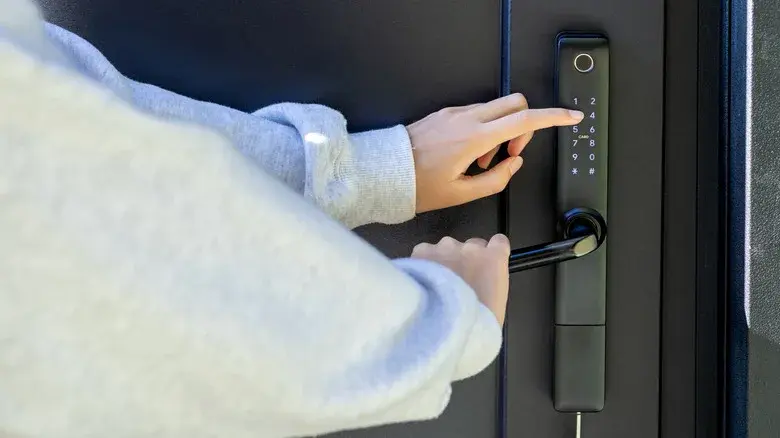
Have you ever left home and wondered whether you remembered to lock the front door? A smart deadbolt can help eliminate that uncertainty by allowing you to check the lock's status through a smartphone app.
Depending on the model, smart locks can offer automatic locking, remote access, activity notifications, and temporary entry permissions for trusted visitors. Some also allow you to unlock the door for a family member or service professional without handing over a physical key.
Most battery-powered smart locks do not require new electrical wiring. If your existing door hardware is compatible, installation may take only a few hours.
However, the process can become more complicated if the new lock requires different screw positions, a larger opening, or adjustments to the door frame. Before purchasing a model, check the thickness of your door and the dimensions of your existing deadbolt.
Estimated installation time: A few hours for a compatible door, with additional time needed for modifications.
Best for: Homeowners who want convenient access control and remote lock-status checks.
2. Add a Smart Video Doorbell to Monitor Visitors
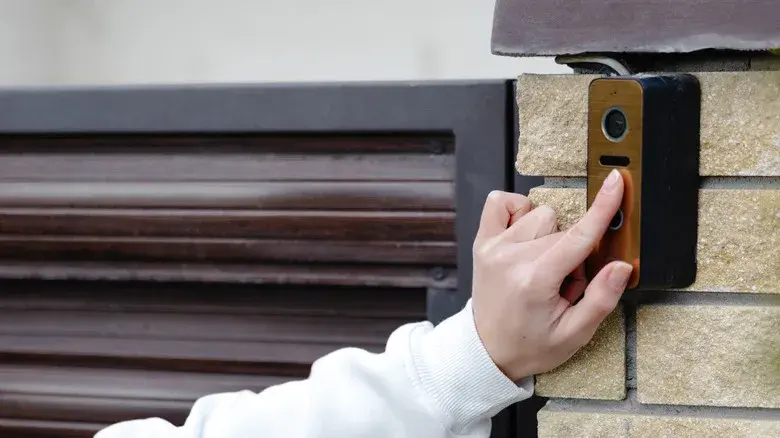
A smart video doorbell lets you see who is at your front door, even when you are away from home. Many models provide live video, motion detection, two-way audio, and smartphone notifications when someone approaches your entrance.
These features can be useful for checking deliveries, communicating with visitors, and monitoring activity around your property.
Battery-powered models are often easier to install because they generally require mounting the device and connecting it to your home Wi-Fi network. A wired model may take longer if the existing doorbell wiring or transformer is incompatible.
Depending on your door frame, you might need a drill, screwdriver, wall anchors, or a masonry drill bit. Some systems also include an indoor chime or Wi-Fi accessory that needs to be configured separately.
Before installation, check your Wi-Fi signal strength near the front door. A weak connection can affect video quality, notifications, and live viewing.
Estimated installation time: Around 30–60 minutes for a straightforward installation; longer if wiring or connectivity issues arise.
Best for: Homeowners who want easier visitor management and remote monitoring.
3. Upgrade to Smart Smoke and Carbon Monoxide Detectors
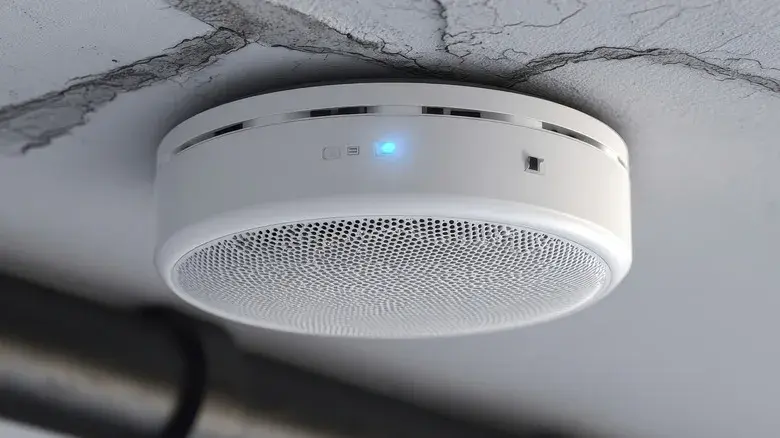
Smart safety detectors can provide important alerts when you are away from home. Unlike conventional alarms that primarily sound inside the property, compatible smart detectors can send notifications to your phone when they detect smoke or dangerous carbon monoxide levels.
Some systems can also connect with other compatible smart devices to trigger additional actions during an emergency. The available features depend on the detector and the connected equipment.
Installation may be relatively simple when replacing compatible battery-powered detectors. However, wired alarms can require more careful work, and some systems may need professional installation to meet local electrical and safety requirements.
Larger homes may need several detectors in appropriate locations, so planning the layout before starting can save time. You should also follow the manufacturer's instructions for placement, testing, and maintenance.
Most importantly, smart detectors should supplement—not replace—reliable, properly installed safety alarms. Make sure alarms remain operational even if your internet connection or smart home system stops working.
Estimated installation time: Approximately 10–60 minutes per device in straightforward installations, depending on the model and mounting requirements.
Best for: Families who want additional safety notifications and better awareness of potential household hazards.
4. Make Your Garage Door Smarter

A smart garage door opener can help you check whether your garage is closed without having to return home. Through a compatible smartphone app, you may be able to view the door's status, receive opening and closing notifications, and operate it remotely.
This can be particularly useful when you are travelling or when several family members use the garage throughout the day.
Installation requirements vary. Some smart controllers can be added to an existing compatible opener, while others require replacement hardware or a more involved setup.
You may need a ladder, screwdriver, drill, tape measure, and level, depending on the system. Before buying anything, confirm that the device works with your existing garage door opener and that your garage has a reliable Wi-Fi signal.
Safety is also essential. Preserve the garage door's safety sensors and automatic reversal features, and follow the manufacturer's instructions for secure remote operation. Avoid using remote controls in a way that could put people, pets, or vehicles in danger.
Estimated installation time: Around two to four hours for many installations, although compatibility issues can extend the process.
Best for: Homeowners who want remote garage monitoring and convenient access management.
5. Save Time on Lawn Care With a Robot Mower

Maintaining a lawn can take up a considerable part of the weekend, especially if your garden includes flower beds, slopes, and awkward corners. A robot lawn mower can reduce the amount of manual mowing required by cutting the grass automatically according to a schedule.
Depending on the model, a robot mower may use a boundary wire, GPS, or another navigation system to determine where it can operate. Some models can also be configured to avoid designated areas around trees, flower beds, and other obstacles.
Traditional boundary-wire models require careful planning around the lawn's perimeter. Installing the wire may take two to four hours for an average-sized garden, depending on its layout and complexity.
Wire-free models can be quicker to set up, but they are not always effortless. GPS reception, trees, uneven ground, narrow passages, and other obstacles can affect navigation and may require additional adjustments.
Before allowing the mower to operate automatically, check the manufacturer's safety recommendations and configure the mowing area correctly. Keep children and pets away while the machine is operating, and use its safety features as directed.
Estimated installation time: Approximately one hour or more for some wire-free models, or two to four hours for many boundary-wire installations.
Best for: Homeowners who want to spend less time mowing and more time enjoying their outdoor space.
How to Choose the Right Smart Home Upgrade
The best upgrade depends on your priorities, budget, existing equipment, and DIY experience.
- For convenience: Start with a smart door lock or video doorbell.
- For household safety: Consider compatible smart smoke and carbon monoxide detectors.
- For remote access: Look into a smart garage door controller or opener.
- For less outdoor maintenance: Explore a robot lawn mower suited to your garden.
You do not need to install everything at once. Starting with one device gives you time to learn its app, understand its settings, and decide whether the technology genuinely improves your daily routine.
Also, review ongoing subscription costs, privacy settings, Wi-Fi requirements, and compatibility with your existing smart home ecosystem before making a purchase.
Final Thoughts
Smart home upgrades can make everyday tasks more manageable while giving homeowners better control over security, safety, and maintenance. A smart lock can remove the uncertainty of whether a door is secured, a video doorbell can help you manage visitors, and smart detectors can provide additional emergency alerts.
Meanwhile, a smart garage door system and robot lawn mower can reduce routine work and offer greater convenience.
The key is to choose devices that solve real problems rather than adding technology simply for the sake of it. With a little planning, you can complete a useful smart home project over the weekend and gradually build a home that works better for you.
Leave a comment
Your email address will not be published. Required fields are marked *