


Google Gemini Notebook Lets Users Review AI Slides and Videos Before Creation
Google is making its AI-powered research tool more flexible by introducing new controls that let users review and refine slide decks and video overviews before they are generated. The update gives users more influence over the content, structure, and presentation of AI-created materials.
The feature is available through Gemini Notebook, formerly known as NotebookLM, Google's research-focused AI platform. Instead of moving directly from a prompt to a finished presentation or video, users can now review the proposed plan and request changes before the final generation process begins.
The update is designed to reduce the need to regenerate entire presentations or videos when the initial result does not match a user's expectations.
Google Gemini Notebook Introduces a New AI Creation Workflow
Previously, users could ask Gemini Notebook to create a slide deck or video overview based on their uploaded research materials. Although the system could produce useful results, users sometimes had limited control over the structure before generation began.
The new co-creation workflow adds an intermediate step between the initial request and the finished output.
Users can begin by asking Gemini Notebook to create a presentation or video from their notebook sources. The AI then suggests relevant topics and allows users to select the subject, format, language, length, and visual style.
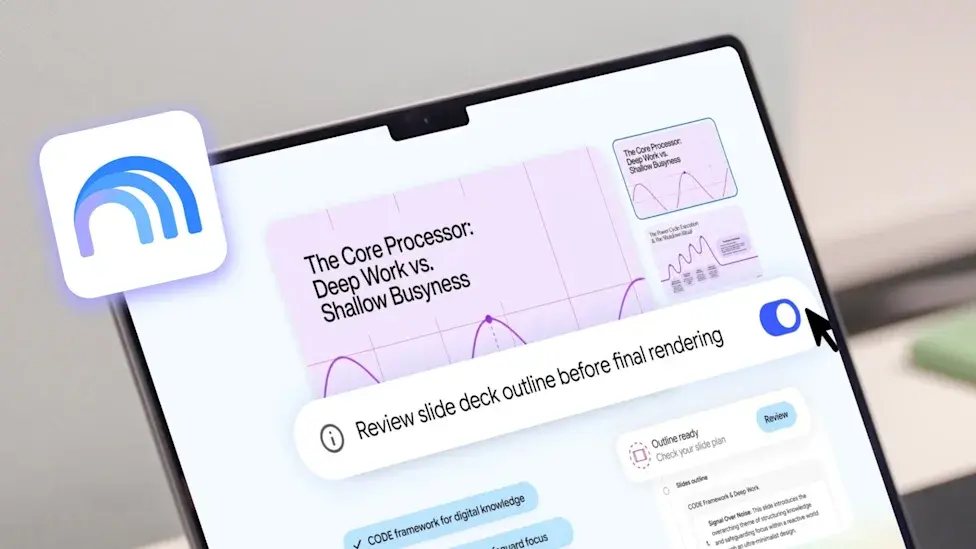
With the review option enabled, users can inspect the proposed outline or production notes before allowing the system to create the final material.
This approach makes AI-generated content more customizable while keeping the process relatively straightforward.
Users Can Edit AI-Generated Slide Outlines
One of the most useful improvements is the ability to review the structure of a slide presentation before it is generated.
Gemini Notebook can prepare outline notes that describe the planned content and organization of a slide deck. Users can review these notes and request changes if the proposed presentation does not cover the right topics or follow the desired order.
For example, someone preparing a business presentation could ask the AI to add an executive summary to the opening slides, expand a particular section, or reorganize the material to make the main findings easier to understand.
These adjustments can be made before the finished presentation is produced, potentially saving time and reducing unnecessary regeneration.
The feature could be particularly valuable for students, researchers, business professionals, and content creators who need presentations to follow a specific structure.
Video Overviews Get More Creative Control
Google is also extending the review process to AI-generated Video Overviews.
Gemini Notebook can turn information from a user's sources into a narrated visual explanation. The new workflow allows users to review production notes before the final video is generated.
These notes help users understand the proposed structure of the video and decide whether its sections should be changed or rearranged.
For example, a user creating an educational video could request that an important concept appear earlier, move a scene to a different position, or adjust the overall flow of the explanation.
Once the user is satisfied with the plan, selecting the proceed option starts the final generation process.
This gives users more control over how their research is presented without requiring them to create every slide or scene manually.
How to Use the New Review Feature
Users can follow these general steps to create and refine AI-generated content in Gemini Notebook:
- Open Gemini Notebook and select an existing notebook or create a new one.
- Add relevant documents, research materials, or other supported sources.
- Ask the AI to create a slide deck or video overview.
- Select the available format, length, language, and visual style options.
- Enable the review option for the slide outline or video production notes.
- Review the proposed structure and request any necessary changes.
- Proceed with generation once the plan meets your requirements.
The review feature is intended to help users catch structural problems before the complete presentation or video is created.
Availability can vary by subscription and rollout status, so users should check the options available in their own Gemini Notebook account.
Why This Update Matters for Students and Businesses
AI presentation tools can significantly reduce the time needed to turn research into useful visual material. However, a polished result is not necessarily an accurate or well-organized one.
The ability to review the proposed structure gives users an opportunity to guide the AI before it produces the final output.
Students can use the feature to organize study materials and prepare presentations. Researchers can arrange complicated findings into a more logical sequence, while businesses can create training materials, reports, and presentations that better match their needs.
Content creators may also benefit from having more control over the flow of narrated videos and educational explainers.
However, users should still review the finished output for factual errors, misleading summaries, and AI-generated visual or audio inaccuracies.
Gemini Notebook Continues to Expand Beyond Research
Google has continued to develop Gemini Notebook beyond its original role as a tool for asking questions about uploaded documents.
The platform supports research workflows that help users organize information, understand complex sources, and transform their findings into different types of content.
Its growing range of AI-generated outputs includes slide decks, video overviews, and other research-based materials. Google has also been expanding the product's integration with its broader AI ecosystem.
The latest co-creation update reflects a broader direction in AI development: moving beyond one-click generation toward workflows in which users can guide the system at important stages.
Rather than simply accepting the first result, users gain more opportunities to shape the content before it is finalized.
Final Thoughts
Google's new review controls make Gemini Notebook more useful for people who need greater control over AI-generated presentations and videos.
The ability to inspect slide outlines and video production notes before generation can help users correct structural problems earlier, save time, and produce content that better matches their objectives.
While the feature does not eliminate the need for fact-checking or editing, it represents a useful improvement for anyone who relies on AI to turn research into presentations and visual explanations.
As Google continues to expand Gemini Notebook, giving users more control over AI-generated content could become an increasingly important part of its research and productivity tools.
Tinggalkan komentar
Alamat email Anda tidak akan dipublikasikan. Kolom yang wajib diisi ditandai *