


Switching From Samsung Galaxy to Google Pixel? 7 Things You Should Know First
Moving from a Samsung Galaxy smartphone to a Google Pixel can be an exciting change, especially if you're looking for a cleaner Android experience, Google's latest AI features, and faster software updates. However, the transition is not always straightforward.
Samsung's One UI offers extensive customization options, powerful multitasking tools, and exclusive features that longtime Galaxy users may find difficult to leave behind. Google's Pixel phones take a different approach, focusing on simplicity, useful AI tools, and a more streamlined Android experience.
If you're thinking about replacing your Samsung Galaxy with a Google Pixel, here are seven important differences to consider before making the switch.
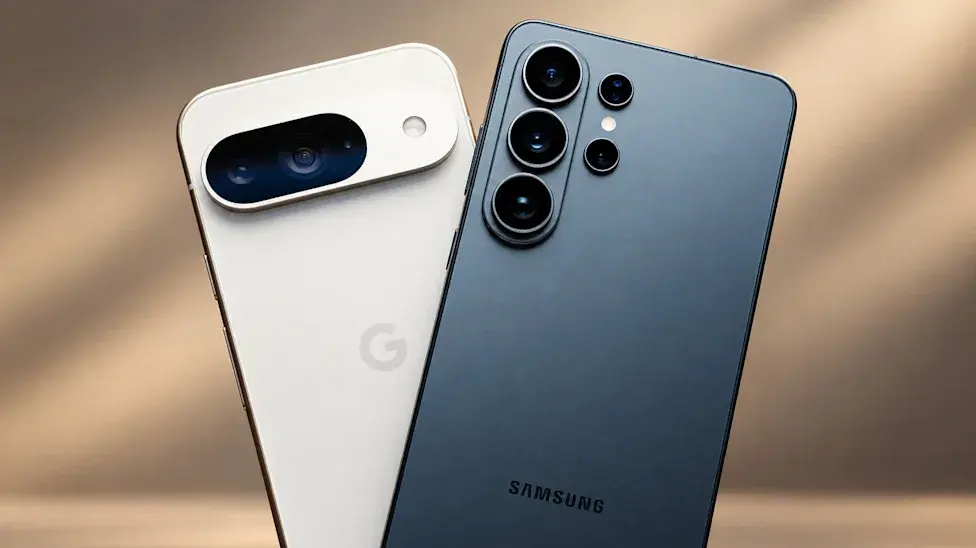
1. Google Pixel Offers a Cleaner Android Experience
One of the biggest reasons people switch from Samsung to Google Pixel is the software experience.
Samsung's One UI includes several preinstalled applications, duplicate services, and additional customization features. While many of these tools are useful, some users prefer a simpler interface without unnecessary applications.
Google Pixel phones provide a cleaner Android experience with fewer preinstalled apps and closer integration with Google's services.
Pixel devices also receive new Android features and software updates directly from Google, making them an attractive option for users who want to experience new Android improvements as early as possible.
2. Pixel Phones Receive Android Updates Faster
Software updates are another major advantage of Google's Pixel lineup.
Because Google develops both Android and Pixel smartphones, its devices are generally among the first to receive major Android releases, security patches, and exclusive Pixel feature updates.
Samsung has significantly improved its update policy, offering extended software support across many Galaxy models. However, Pixel phones still have an advantage when it comes to receiving Google's latest Android features first.
This makes the Pixel lineup particularly appealing to users who prioritize timely software updates and a straightforward Android experience.
3. Samsung Galaxy Still Offers More Customization
Although Google Pixel provides a cleaner interface, Samsung remains one of the strongest Android manufacturers when it comes to customization.
One UI includes features such as Good Lock, advanced home-screen controls, customizable themes, and Modes and Routines.
These tools allow Galaxy owners to personalize almost every part of their smartphone experience.
For example, Samsung users can create routines that automatically change phone settings depending on their location, time, or activity.
Google Pixel offers customization options too, but its interface generally provides fewer advanced controls than Samsung's One UI.
If you enjoy experimenting with your phone's appearance and behavior, moving to a Pixel may feel restrictive.
4. Google Pixel Has Excellent Camera Software
Google has built its Pixel reputation around computational photography.
Rather than relying entirely on camera hardware, Pixel smartphones use advanced image processing to improve photographs, balance exposure, and produce natural-looking colors.
Samsung Galaxy phones, particularly the Ultra models, also offer impressive camera systems with powerful zoom capabilities and advanced video recording features.
However, the two brands approach photography differently.
Pixel cameras generally emphasize natural colors and consistent point-and-shoot results, while Samsung often produces more vibrant images with additional camera controls.
Your preferred photography style will ultimately determine which brand suits you better.
5. Samsung Galaxy Offers Better Multitasking Features
Samsung has spent years developing multitasking tools that make its smartphones particularly useful for productivity.
Features such as Multi Window, pop-up views, Edge Panels, and Samsung DeX provide additional flexibility for people who frequently work across multiple applications.
Samsung DeX is especially useful because it allows compatible Galaxy devices to provide a desktop-style experience when connected to an external display.
Google Pixel also supports multitasking and has been improving its desktop and large-screen Android capabilities. However, Samsung's productivity ecosystem remains more developed.
If you regularly use your phone as a work device, this is an important difference to consider.
6. Samsung Galaxy Has an Advantage in Battery and Performance
Battery life and processing power depend heavily on the specific models being compared.
Samsung's flagship Galaxy devices often feature powerful Qualcomm Snapdragon processors, large batteries, and fast charging technologies.
Google Pixel phones use Google's Tensor processors, which are designed to support AI features, image processing, and everyday smartphone tasks.
For normal activities such as browsing, messaging, photography, and social media, both brands can provide excellent performance.
However, Samsung's flagship models may offer advantages in demanding games, sustained performance, and charging speeds, depending on the generation.
Before switching, compare the exact Galaxy and Pixel models rather than assuming one brand is always faster.
7. Samsung's Ecosystem May Make Switching Difficult
If you've invested in Samsung's ecosystem, moving to Google Pixel could mean losing access to some exclusive features.
Samsung Galaxy Watches, Galaxy Buds, tablets, and other connected devices offer several integration benefits when used together.
For example, Samsung Health Monitor provides certain health-monitoring features, including ECG and blood pressure functionality, on supported Galaxy Watch and Samsung phone combinations in eligible regions.
Google Pixel devices work with many Android accessories and Google services, but some Samsung-exclusive features may no longer be available.
Before changing phones, check whether your smartwatch, earbuds, payment applications, and other connected devices will continue working as expected.
Should You Switch From Samsung Galaxy to Google Pixel?
The answer depends on what you expect from your next smartphone.
Google Pixel is a strong choice if you prefer a clean Android interface, timely software updates, Google's AI features, and excellent everyday photography.
Samsung Galaxy remains attractive if you value extensive customization, advanced multitasking, powerful flagship hardware, S Pen support, and a connected device ecosystem.
If you're using an older Galaxy smartphone, upgrading to a newer Pixel could provide a noticeable improvement in software and camera features. However, users with recent Galaxy flagship devices may find that switching brands does not necessarily deliver a major overall upgrade.
Final Verdict
Switching from Samsung Galaxy to Google Pixel is not simply about choosing a different smartphone brand. It means moving between two different Android experiences.
Google focuses on simplicity, AI integration, and software features, while Samsung emphasizes customization, productivity, and hardware flexibility.
Neither brand is automatically better for everyone. Consider your daily smartphone habits, existing accessories, and most-used features before making a decision.
If you want a straightforward Android experience with Google's latest features, Pixel is worth considering. But if you depend on Samsung's advanced tools and ecosystem, staying with Galaxy may be the smarter choice.

Tinggalkan komentar
Alamat email Anda tidak akan dipublikasikan. Kolom yang wajib diisi ditandai *