


Supported Models:
- Nokia G22
- Nokia G22 Plus
- Nokia Venom TA-1528
- Nokia Venom TA-1529
(ALL ABOVE ARE SAME)
Guide Features:
- Step-by-step repair instructions
- IMEI-related troubleshooting
- Network repair procedure
- Practical, tested solution
Nokia G22 / G22 Plus(VENOM) IMEI NULL & Network Fix – TA-1528 / TA-1529
Full Working Repair Procedure
This guide explains the tested procedure for repairing IMEI-related issues and restoring network connectivity on supported Nokia G22 / G22 Plus devices, including Nokia Venom TA-1528 and TA-1529, using Pandora Tool.
Step-by-Step Guide
Step 1: Flash Pandora Dump
- Connect the phone to Pandora Tool.
- Flash the provided Pandora dump file to the device.
- UNSELECT ELABLE & PRIVATE PARTITON WHILE RESTORING.
TESTED DUMP FILE :
Step 2: Format the Phone
- After flashing the dump, format the phone using the appropriate Pandora Tool function.
Step 3: Repair Original IMEI
- Repair or restore the device's original, legally assigned IMEI.
Step 4: Network Unlock with Pandora Tool
- This is the main step of the procedure.
- Use Pandora Tool's network-unlock function to complete the network repair process.
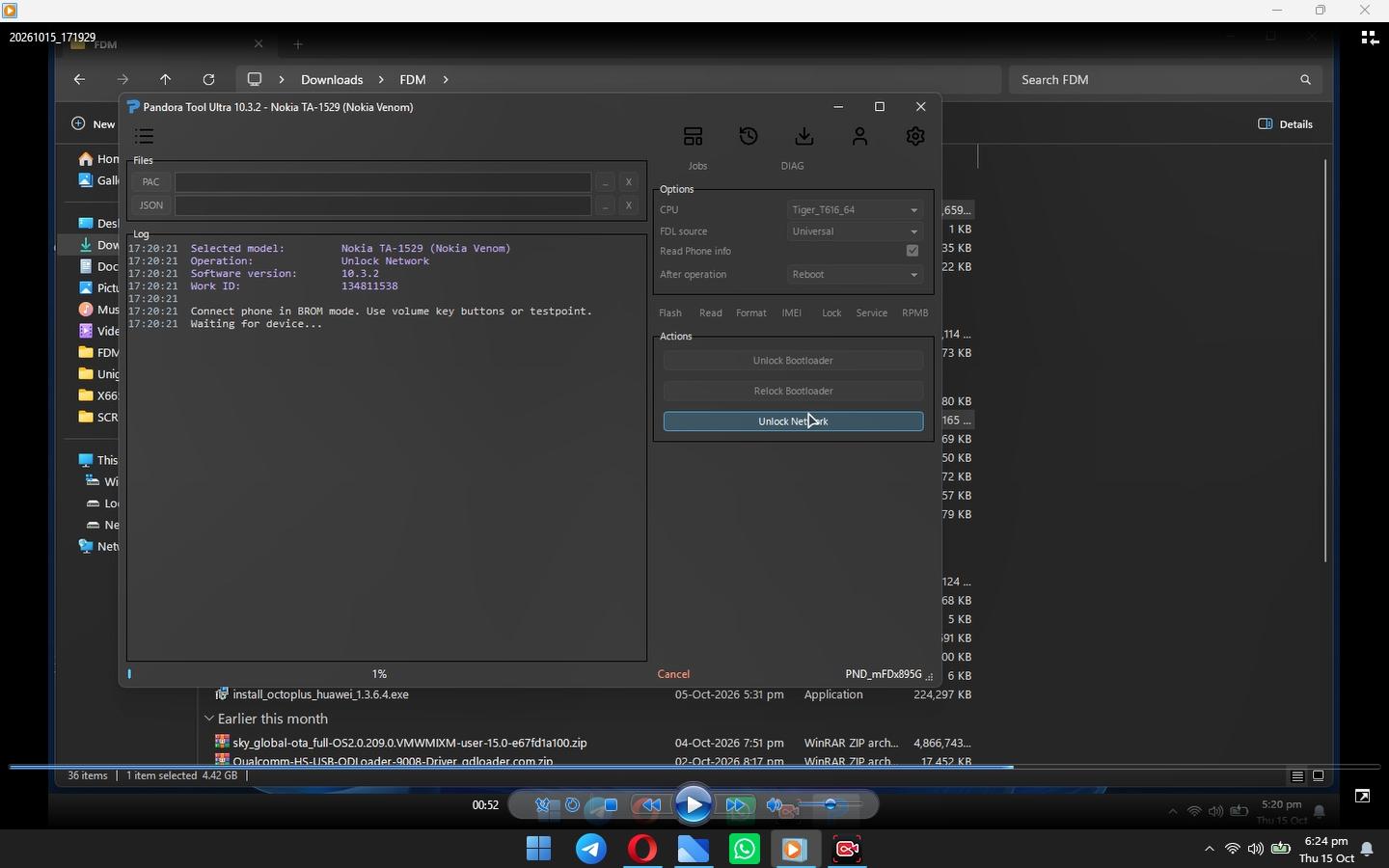
Supported Models
- Nokia G22
- Nokia G22 Plus
- Nokia Venom TA-1528
- Nokia Venom TA-1529
(ALL THESE ARE SAME)
Requirements: Pandora Tool and the correct dump file for the device.
Important Notes
- Back up your data before formatting or restoring partitions.
- Confirm dump compatibility with the exact model and hardware revision.
- Use only the device's original IMEI.
- Perform network unlocking only when legally authorized.
- The procedure has been reproduced from the supplied information; independent testing and universal compatibility have not been verified.
Conclusion
This guide outlines the supplied Pandora Tool workflow for Nokia G22 and G22 Plus VENOM variants, including TA-1528 and TA-1529. Correct dump selection, careful partition handling, restoration of the original IMEI, and proper network diagnosis are essential for a safe repair.
Follow Tech with Eglo for more mobile software repair guides, firmware resources, and troubleshooting tutorials.
Leave a comment
Your email address will not be published. Required fields are marked *