


What Is the AUX Port on Amazon Echo Speakers Used For?
Amazon Echo speakers are widely known for their Alexa voice assistant, smart home controls, music streaming, and hands-free convenience. However, some older Echo models also include a small 3.5mm AUX port that allows users to connect external audio equipment.
Depending on the model, this port can either send audio to another speaker or receive audio from a connected device. Understanding the difference can help you get more out of your Echo speaker.
Although newer Echo devices increasingly rely on wireless connections, the AUX port remains useful for people who own compatible older models.
What Does the AUX Port on an Echo Speaker Do?
The AUX port is a physical audio connection that uses a standard 3.5mm cable. Its purpose depends on the specific Echo device.
There are two main types of AUX connections:
- AUX output: Sends audio from the Echo speaker to an external speaker, amplifier, or compatible audio system.
- AUX input: Receives audio from another device, allowing the Echo to play sound from a connected source.
Some Echo models support only output, while selected models can switch between input and output modes.
Before connecting another device, check your Echo model's specifications to confirm which function its port supports.
Can You Connect a Phone or Laptop to an Echo Speaker?
Yes, but only if your particular Echo model supports AUX input.
A compatible Echo can receive audio from devices such as a laptop, phone with a headphone output, music player, or another audio source using a suitable 3.5mm cable.
Once connected and configured for line-in, the Echo can play audio coming from the external device.
However, not every Echo with a 3.5mm jack supports incoming audio. For example, the fourth-generation Echo Dot's AUX connection is designed for audio output rather than line-in.
If your Echo doesn't support AUX input, Bluetooth may be a more convenient alternative.
Which Amazon Echo Speakers Have an AUX Port?
AUX functionality varies between Echo generations. Some older models include a physical connection, while many newer devices omit it.
Examples of older Echo hardware with relevant AUX functionality include:
- Amazon Echo (3rd generation): Its AUX connection supports line-in and line-out functionality.
- Amazon Echo (4th generation): Its 3.5mm port can be configured for supported input or output functions.
- Amazon Echo Plus (2nd generation): Includes a 3.5mm audio connection.
- Amazon Echo Studio (1st generation): Supports an audio input connection for compatible external sources.
- Amazon Echo Dot (4th generation): Includes an AUX output for sending audio to an external speaker.
These capabilities are model-specific. Do not assume that every Echo Dot, Echo Show, or Echo Studio has the same port or supports the same connections.
How to Use the AUX Port on a Compatible Echo
If your Echo supports AUX input, follow these general steps:
- Check that your Echo has an AUX input or a configurable line-in connection.
- Connect the external audio device using a compatible 3.5mm cable.
- Open the Alexa app on your smartphone.
- Select your Echo device and look for the AUX Audio setting.
- If available, choose Line In.
- Start playing audio on the connected device and adjust its volume.
The exact menu names may differ depending on the model and software version.
If the AUX Audio or Line In option is missing, your device may not support the feature or may have different controls.
How to Use an Echo's AUX Output
An AUX output works in the opposite direction: it sends sound from your Echo to another audio device.
To use it, connect the Echo's output port to a compatible external speaker, amplifier, or audio system using the appropriate cable.
This can be useful if you want to route Alexa's music playback through a larger sound system.
Remember that an output-only port cannot receive sound from your phone or laptop through a cable.
AUX vs. Bluetooth: Which Is Better?
Both AUX and Bluetooth can connect audio equipment, but they work differently.
AUX connection: Uses a physical cable and can provide consistent playback without wireless pairing. Its audio quality depends on the connected equipment and signal path.
Bluetooth connection: Provides wireless convenience and avoids cables, but sound quality depends on the supported codecs, devices, and wireless conditions.
For compatible Echo speakers, AUX can be useful when you want a direct wired connection. Bluetooth is often easier when your Echo lacks an input port.
Neither option is automatically better in every situation. Choose the one that suits your devices and listening preferences.
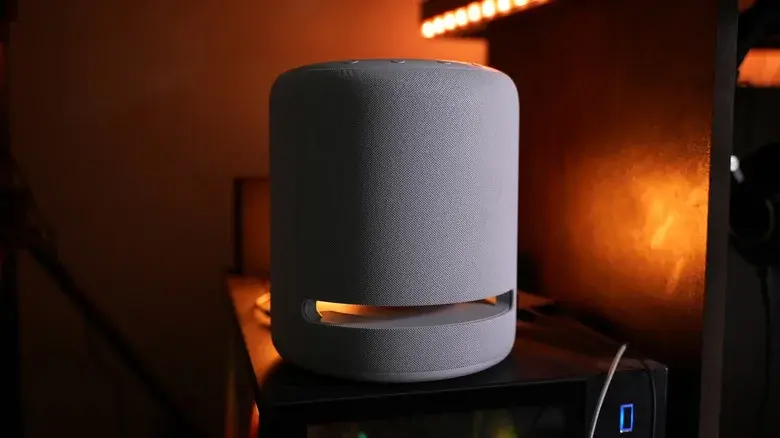
Amazon Has Removed AUX Voice Commands From Some Older Echo Speakers
In October 2026, Amazon confirmed that it had discontinued Alexa voice commands for controlling AUX input on certain older Echo devices.
Affected models include the Echo Plus (2nd generation), Echo (3rd generation), Echo Studio (1st generation), and Echo (4th generation).
Commands such as asking Alexa to play from line-in or switch to the AUX input no longer work on these devices.
However, the change does not mean the physical AUX connection has necessarily stopped working. Amazon has said the wired connection remains functional, and supported devices can still be managed through the Alexa app. Bluetooth is another alternative.
The change is an important distinction for people who use older Echo speakers as wired audio devices: the voice-control feature has been removed, but that does not automatically disable the port itself.
Why Are Newer Echo Speakers Moving Away From AUX?
Many modern smart speakers prioritize wireless connectivity, including Wi-Fi and Bluetooth. Removing physical ports can simplify hardware design and reduce the number of connections manufacturers need to support.
However, wired audio still has advantages for users with older sound systems, compatible computers, or equipment that does not offer convenient Bluetooth connectivity.
People who specifically need AUX input should check the complete specifications of a device before purchasing it, rather than assuming the latest Echo model includes the same connections as an older generation.
Final Verdict
The AUX port on Amazon Echo speakers can be useful for connecting compatible audio equipment, but its function depends on the exact model.
An AUX output sends sound from the Echo to an external speaker, while an AUX input lets the Echo play audio from another source. Some older models support both functions, but others are output-only or lack a physical port entirely.
Amazon's removal of AUX voice commands from selected older Echo devices also means users may need to manage line-in playback through the Alexa app instead.
If wired audio is important to you, check your Echo's model number and port specifications before connecting devices or buying accessories. If your Echo does not support AUX input, Bluetooth may provide the simplest alternative.
Leave a comment
Your email address will not be published. Required fields are marked *