


These Android Phones Have Built-In Spam Call Protection That Actually Works
Spam calls have become a growing problem for smartphone users. From fake bank representatives and fraudulent prize offers to callers pretending to be government officials, unwanted calls can waste time and put personal information at risk.
The good news is that some Android smartphones already include built-in spam call protection, allowing users to identify suspicious callers, block unwanted numbers and, on supported devices, screen calls before answering.
Google Pixel and Samsung Galaxy phones offer some of the most advanced options, while Google's Phone app also provides basic caller identification and spam filtering on many other Android devices.
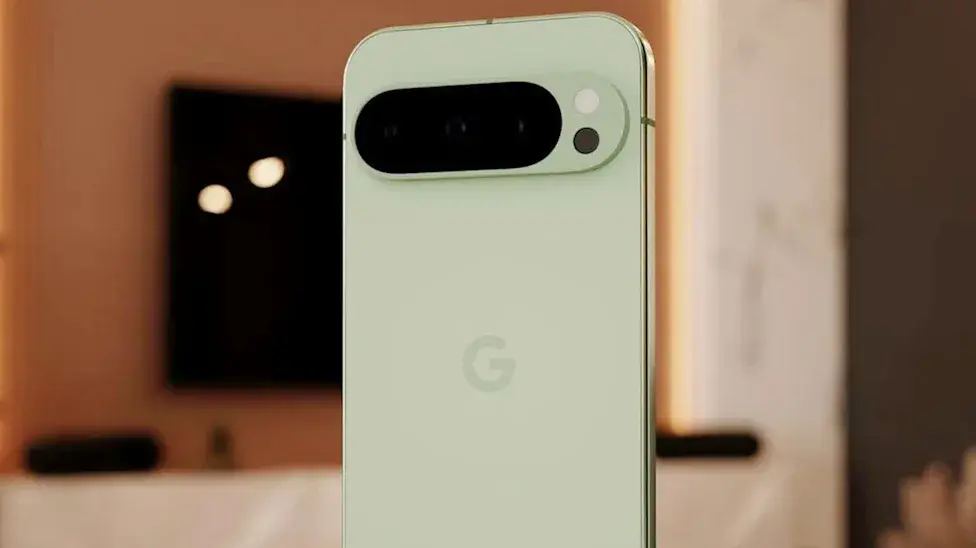
Google Pixel Phones Offer Advanced Spam Call Protection
Google Pixel smartphones include several calling features designed to identify unwanted calls and protect users from scams.
One of the most useful is Call Screen, which allows a supported Pixel phone to ask an unknown caller who they are and why they are calling. Users can review the caller's response before deciding whether to answer.
Depending on the device and region, Call Screen can also automatically handle certain incoming calls. If a call is identified as spam, the feature can reject it without requiring the user to interact with the caller.
Some eligible Pixel devices also support Scam Detection, which uses on-device technology to identify patterns associated with fraudulent conversations and provide warnings during a call.
However, these advanced features are not available on every Pixel model or in every country. Users should check Google's official availability information before relying on them.
Samsung Galaxy Phones Include Caller ID and Spam Blocking
Samsung Galaxy smartphones offer another way to manage unwanted calls through the built-in Phone app.
The Caller ID and spam protection feature can identify suspected spam callers and help users block unwanted calls. Available options depend on the phone model, software version, carrier and region.
On compatible newer Galaxy devices, Samsung also offers AI-powered call screening features. These can answer certain unknown calls, ask the caller to identify themselves and display their response so users can decide whether to pick up.
This can be especially helpful when receiving calls from unfamiliar numbers that might belong to delivery services, businesses or potential scammers.
To check the available protection on a Samsung Galaxy phone:
- Open the Phone app.
- Tap the three-dot menu.
- Select Settings.
- Find Caller ID and spam protection.
- Enable the available spam identification and blocking options.
If your phone supports advanced call screening, check the Phone app settings for that option as well.
Google's Phone App Can Help Other Android Users
You do not necessarily need an expensive flagship smartphone to get basic spam protection.
Google's Phone app provides caller ID and spam protection on many compatible Android devices. Depending on the phone, users may see warnings when an incoming call is suspected to be spam.
To enable the feature:
- Open the Phone by Google app.
- Tap the three-dot menu.
- Open Settings.
- Select Caller ID and spam.
- Turn on See caller ID and spam.
- If available, enable Filter spam calls.
Menu names and available options may differ between devices.
Google explains that its caller identification service may send numbers outside your contacts to Google to help identify businesses or determine whether a call is spam. Review the relevant privacy information if you are concerned about how caller data is processed.
How to Block Spam Calls on Android
If your smartphone does not offer automatic call screening, you can still reduce unwanted calls with a few simple steps.
Block an Individual Number
Open your Phone app, find the unwanted call in your recent call history and select the option to block or report the number as spam.
Once blocked, calls from that number should no longer reach you normally, although the exact behavior can vary by device.
Enable Spam Filtering
Look through your Phone app settings for options such as Caller ID and spam, Spam protection or Filter spam calls. Turn on the available protection options.
Avoid Calling Back Suspicious Numbers
Be careful with unexpected calls that pressure you to share personal information, reveal verification codes or make urgent payments. If someone claims to represent your bank or another organization, contact that organization through its official number instead.
Are Built-In Spam Call Blockers Better Than Third-Party Apps?
Built-in tools offer several advantages. They are already integrated into the phone's calling experience, are often free and may not require installing another application.
Some compatible devices also provide automatic screening or real-time scam warnings that go beyond simply identifying a suspicious number.
Third-party caller identification apps can offer additional features, but their privacy practices, permissions and subscription costs should be considered before installation.
For many users, checking the phone's existing spam protection settings is a sensible first step before downloading another app.
Do These Features Work in Pakistan?
Android users in Pakistan can generally check whether their phones support basic caller ID and spam identification. However, advanced AI call screening and real-time Scam Detection features may have country, device or software restrictions.
Google Pixel's automatic Call Screen and Scam Detection capabilities are not universally available worldwide. Samsung's advanced features can also vary by model and region.
If you use a phone in Pakistan, open its Phone app settings and look for Caller ID and spam protection. If the feature is unavailable, you can manually block suspicious numbers and report unwanted calls through the options provided by your device or mobile operator.
Final Thoughts
Spam call protection is becoming an important smartphone feature as scammers use increasingly convincing methods to target mobile users.
Google Pixel offers call screening and, on supported devices, AI-powered scam warnings. Samsung Galaxy phones provide caller identification, spam blocking and newer call-screening options on compatible models. Google's Phone app also gives many other Android users access to basic spam protection.
Before installing a separate call-blocking app, check the features already available on your smartphone. They may be enough to help you identify suspicious calls, block repeat offenders and avoid common phone scams.
Important: No spam detection system catches every fraudulent call. Never share passwords, banking PINs or one-time verification codes with an unexpected caller, even if the number appears familiar.
اترك تعليقاً
لن يتم نشر عنوان بريدك الإلكتروني. الحقول المطلوبة مشار إليها بـ *