


Is Android Becoming a Walled Garden? Google’s New Rules Raise Concerns
Android has long been known for offering users more freedom than Apple's iOS. From installing apps outside the Google Play Store to using alternative app marketplaces and customizing system software, Google's mobile operating system has traditionally appealed to people who want greater control over their devices.
However, that openness is facing new challenges. Google's developer-verification requirements are changing how some applications can be installed on Android, prompting debate over whether the platform is moving toward a more restricted, iPhone-like ecosystem.
Why Google Is Tightening Android App Installation Rules
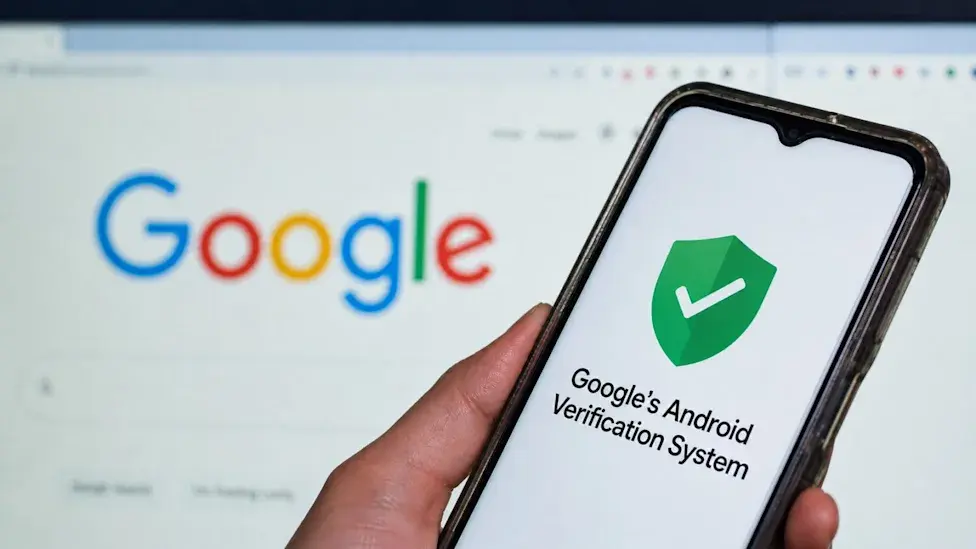
Google says its new developer-verification system is designed to improve Android security and reduce the risk of scams and malicious applications. Under the policy, developers distributing apps outside Google Play will also need to verify their identities in markets where the requirements are enforced.
The goal is to make it harder for scammers to distribute harmful software anonymously. However, the policy has raised concerns among independent developers, privacy-conscious users, and Android enthusiasts who value the ability to install software without relying on Google's official app marketplace.
Critics argue that requiring developer registration could introduce additional barriers for hobbyists and small development teams, even when their apps are legitimate and distributed through independent platforms.
What Is Sideloading, and Why Does It Matter?
Sideloading means installing an application from a source other than the device's primary app store. On Android, this commonly involves downloading an APK file from a developer's website or obtaining an app through an alternative marketplace.
This flexibility has helped Android support software that may not be available through Google Play. It also gives developers another way to distribute applications directly to users.
For example, someone might install an open-source application, test an early version of a new app, or download software from an independent developer.
With Google's new verification requirements, installing certain apps from unverified developers can involve additional steps. This could make the process less convenient for users who regularly experiment with third-party software.
Android's New Rules Are Not a Complete Ban on Sideloading
Despite concerns about Android becoming a closed platform, Google's changes do not amount to a universal ban on installing applications outside the Play Store.
The rollout is phased. As of October 2026, the new enforcement began on September 30 in Brazil, Indonesia, Singapore, and Thailand. Google has said it plans to expand developer verification more broadly from 2027 onward.
Google has also introduced an advanced process intended to let experienced users install unverified applications after completing additional security checks. The process can involve enabling developer settings, confirming the user's intentions, restarting the device, and waiting 24 hours before completing verification steps.
This means that sideloading remains possible, but the process may become more complicated in regions where the restrictions apply.
Security Versus Freedom: The Main Debate
Google's policy highlights a longstanding challenge for mobile operating systems: balancing user freedom with protection against harmful software.
Downloading apps from unknown sources can expose users to malware, spyware, fraudulent applications, and data theft. Developer verification could help establish accountability and make it harder for scammers to operate anonymously.
However, identity verification does not automatically guarantee that an application is safe. Legitimate developers can make mistakes, and malicious software can still emerge from sources that appear trustworthy.
Opponents of stricter verification are also concerned about the additional work required of independent developers. They argue that installing software on a device should remain a user-controlled decision, particularly when users understand the associated risks.
The debate is therefore not simply about whether security matters. It is also about how much control an operating system provider should have over the software users can install.
How Android Compares With Apple's iPhone
Apple has traditionally exercised tighter control over iOS app distribution, although alternative distribution options exist in certain markets under specific rules.
Android has historically offered more flexibility through APK installation, alternative app stores, and other customization options. Google's new requirements narrow some of that distinction, particularly for people who regularly install applications from independent developers.
Nevertheless, Android and iOS are not identical. Android still supports alternative app distribution, and its developer-verification rollout includes mechanisms intended to preserve some sideloading capabilities.
The practical difference will depend on a user's country, device configuration, preferred app sources, and willingness to complete additional installation steps.
What Android Users Should Do
Most people who download apps exclusively through Google Play may notice little immediate change. Users who regularly install APK files should pay closer attention to Google's rollout and the origin of their applications.
Here are a few precautions worth following:
- Download applications from developers and sources you trust.
- Check the developer's identity and the application's permissions before installation.
- Avoid APK files distributed through suspicious links or unsolicited messages.
- Keep Android and installed applications updated.
- If you rely on alternative app stores, check their compatibility with the new verification requirements.
These steps can help users make informed decisions while continuing to use Android's available software options.
Final Thoughts
Android is becoming more controlled in some areas, but describing it as a completely closed platform would be premature. Google's developer-verification policy introduces additional requirements for app distribution, while the company says its goal is to protect users from scams and malicious software.
For everyday users, the changes may provide additional safeguards with little disruption. For independent developers and advanced users, however, the new rules raise important questions about software distribution, customization, and long-term control over personal devices.
As the rollout expands, the balance Google strikes between security and openness will help determine how much freedom Android users retain in the years ahead.
Bir yorum bırakın
E-posta adresiniz yayınlanmayacaktır. Gerekli alanlar * ile işaretlenmiştir