



Canva Introduces Two New AI Controls for Free and Pro Users at No Extra Cost
Canva has introduced two new AI controls designed to give users more control over how artificial intelligence features work across its platform. The new options allow users to disable generative AI features and reduce the visibility of AI-generated content while browsing Canva's library.
The latest additions are available to both Canva Free and Canva Pro users without any additional charges.
Canva Adds Two New AI Control Options
The newly introduced controls focus on giving users greater flexibility when working with AI-powered features and browsing creative assets.
1. Generative AI Control
Canva has added a dedicated setting that allows users to turn generative AI features on or off across the platform.
When disabled, generative AI features will be hidden throughout Canva. Users can also re-enable these features whenever they want.
To access this option, navigate to:
Profile → Settings → Permissions
2. AI-Generated Content Control
The second option allows users to see less AI-generated content when exploring Canva's content library.
This setting is particularly useful for users who prefer traditional creative assets instead of AI-generated backgrounds, illustrations, and other graphics.
Users can find this option under:
Profile → Your account → AI Personalisation
Importantly, changing this preference does not affect existing designs or projects.
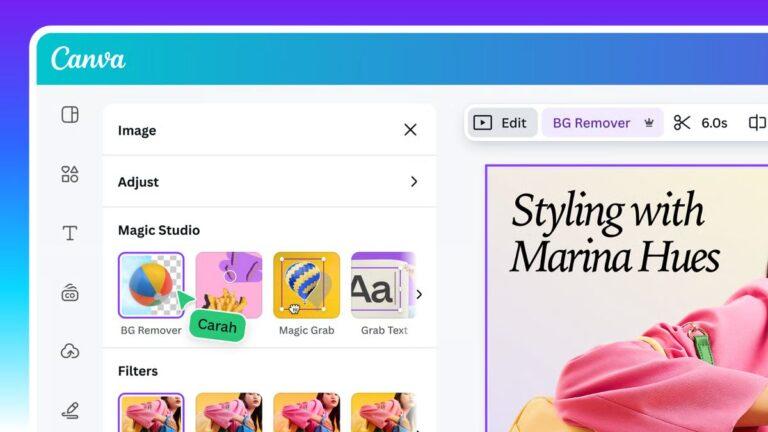
Background Remover and Magic Grab Will Continue Working
Canva has also clarified that switching off generative AI does not mean losing access to all AI-powered editing tools.
Features such as Background Remover and Magic Grab will remain available even when generative AI is disabled.
These tools modify existing content rather than generate entirely new material. Therefore, using them will not trigger an AI-generated content label.
AI-Generated Assets and Transparency
Canva also explained that a portion of its content library contains AI-generated materials, including backgrounds and illustrated graphics.
To improve transparency, these assets include AI-generated information in their metadata. This allows platforms and services that recognise such information to identify and label the content accordingly.
Availability
Both new AI controls are available to all Canva Free and Canva Pro users at no additional cost.
These options also complement the existing AI permission controls available to organisations using Canva Business, Enterprise, Teams, and Education plans.
With these additions, Canva is giving creators more flexibility to decide how they interact with generative AI while continuing to use its traditional editing tools.
Source: Canva Newsroom

Leave a comment
Your email address will not be published. Required fields are marked *