

How to Get SCOM eSIM in Pakistan – Complete Guide
If you use SCOM and have an eSIM-compatible smartphone, you may be able to use an eSIM instead of a traditional physical SIM. SCOM provides telecommunications services primarily in Azad Jammu & Kashmir (AJK) and Gilgit-Baltistan (GB).
An eSIM is built into your phone, allowing a supported mobile number to be activated digitally without inserting a physical SIM card.
What Is an SCOM eSIM?
An SCOM eSIM is a digital SIM profile that can be installed on a compatible smartphone. Instead of inserting a plastic SIM card, the eSIM profile is downloaded to the phone using the activation information provided by the operator.
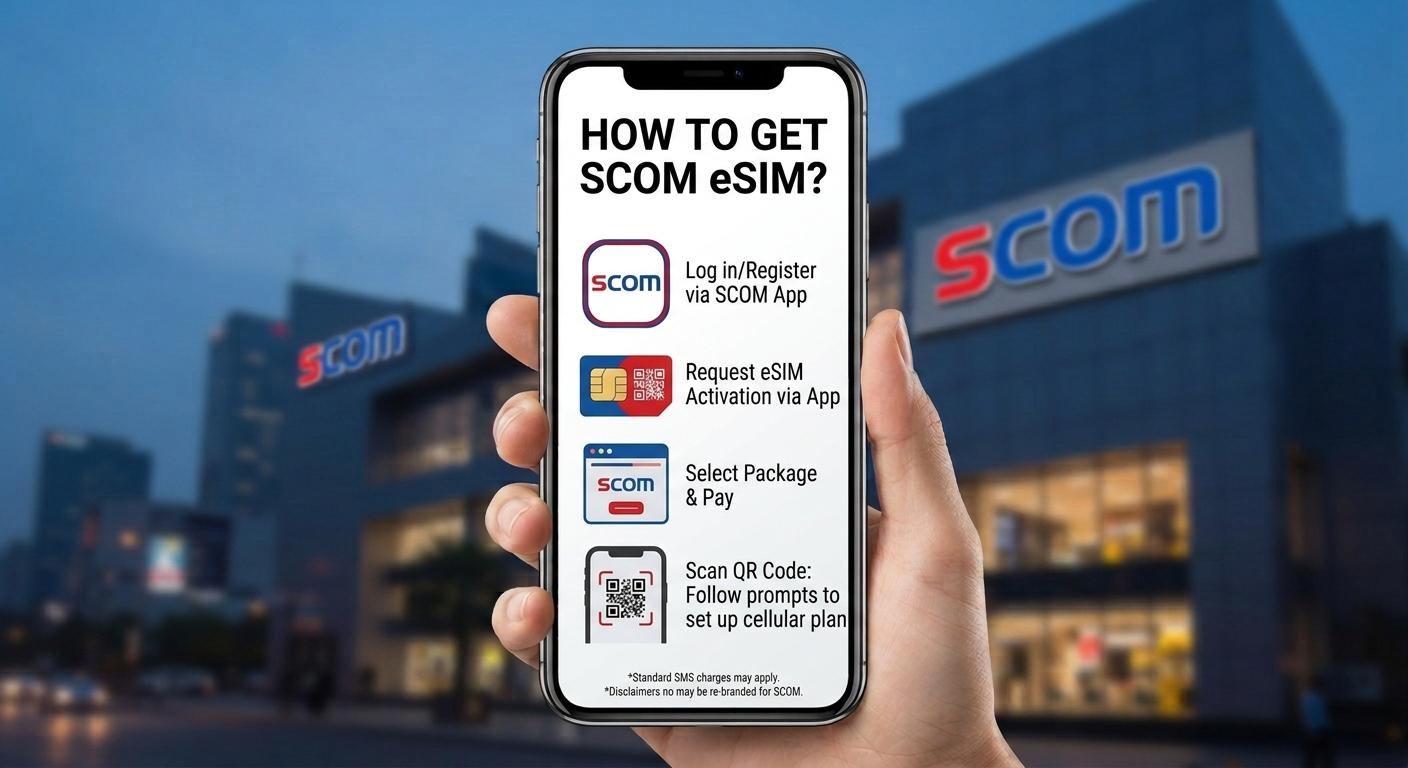
How to Get SCOM eSIM
1. Check Your Phone's eSIM Support
Before requesting an SCOM eSIM, make sure your smartphone supports eSIM.
eSIM is available on selected models from:
- Apple iPhone
- Samsung Galaxy
- Google Pixel
- Motorola
- Other compatible smartphones
You can check your phone's specifications or look under Settings > Mobile Network/SIM for an eSIM option.
2. Contact or Visit SCOM
SCOM eSIM availability and the activation procedure can depend on the current service offered in your region.
Contact an SCOM customer service center or authorized SCOM outlet and ask whether eSIM is currently available for your number and device.
If SCOM requires an in-person SIM replacement or registration, take your original CNIC with you.
3. Complete SIM Verification
For a new SIM or SIM replacement, SCOM may require identity verification and biometric verification under Pakistan's SIM registration requirements.
Complete the required verification before the eSIM can be issued.
4. Receive Your eSIM Activation Details
If your request is approved, SCOM will provide the necessary eSIM activation information. This may include an eSIM QR code.
Keep the QR code and activation details secure and do not share them with anyone.
How to Activate SCOM eSIM on iPhone
If your iPhone supports eSIM:
- Open Settings.
- Tap Cellular or Mobile Service.
- Select Add eSIM.
- Choose Use QR Code if SCOM provides a QR code.
- Scan the SCOM eSIM QR code.
- Follow the instructions on the screen.
- Wait for the eSIM profile to activate.
The exact steps can vary depending on your iOS version.
How to Activate SCOM eSIM on Samsung
On a compatible Samsung Galaxy phone:
- Open Settings.
- Tap Connections.
- Select SIM Manager.
- Tap Add eSIM.
- Choose the QR-code option if provided.
- Scan the SCOM eSIM QR code.
- Follow the on-screen instructions.
- Wait for the network to connect.
The menu can differ depending on the Samsung model and One UI version.
Can I Convert My Existing SCOM SIM to eSIM?
If SCOM currently supports eSIM replacement for your number, you may be able to convert your physical SIM to an eSIM by requesting a SIM replacement.
Because SCOM's eSIM availability and procedures can change, confirm the current process, charges, and eligibility with SCOM before visiting an outlet.
What Do You Need for SCOM eSIM?
Depending on the activation method, you may need:
- An eSIM-compatible smartphone
- Original CNIC
- Your existing SCOM number if replacing a physical SIM
- Required identity/biometric verification
- SCOM eSIM activation information or QR code
Important Tips Before Activating SCOM eSIM
Make sure your phone is compatible with eSIM and has an active internet connection while installing the eSIM profile.
Keep your activation QR code private.
If you delete the eSIM profile, reset your phone, or move the number to another device, you may need to request a new eSIM profile from SCOM.
Frequently Asked Questions
Does SCOM offer eSIM in Pakistan?
SCOM's eSIM availability can depend on its current services and the customer's region. Contact SCOM directly to confirm whether eSIM is currently available for your number and device.
Can I get an SCOM eSIM online?
Don't assume online activation is available. The current process may require contacting SCOM or visiting an authorized outlet.
Does SCOM eSIM work on iPhone?
An eSIM can work only if both the SCOM service and your particular iPhone model/variant support it.
Does SCOM eSIM work on Samsung?
Selected Samsung Galaxy models support eSIM, but SCOM service compatibility should be confirmed before requesting an eSIM.
Do I need biometric verification?
SIM issuance and replacement in Pakistan are subject to applicable identity and biometric verification requirements. Confirm the current requirements with SCOM.
Conclusion
If you're looking for an SCOM eSIM in Pakistan, first check whether your phone supports eSIM and whether SCOM currently offers eSIM service for your region and number. Contact SCOM or visit an authorized outlet with your CNIC, complete any required verification, and follow the activation instructions provided by SCOM.
Để lại bình luận
Địa chỉ email của bạn sẽ không được công khai. Các trường bắt buộc được đánh dấu *