

Walmart-Owned Vizio TVs Face Questions Over Smart TV Tracking
Smart TVs offer convenient access to streaming apps, online entertainment, and personalized recommendations. However, these connected features can also raise privacy concerns because some televisions collect information about viewing habits and device usage.
Walmart-owned Vizio TVs are attracting attention over how their built-in tracking technology works, what information may be collected, and how viewing data can be used for advertising.
Walmart acquired Vizio in December 2024, bringing the television manufacturer's connected TV platform into its broader retail and advertising business. Since then, the relationship between television viewing data and Walmart customer accounts has become an important privacy consideration for consumers.
How Vizio TVs Track Viewing Activity
Vizio's connected televisions use a technology known as Automated Content Recognition (ACR). This technology can recognize television content and help identify what viewers watch across supported sources, including streaming applications and connected devices.
According to Vizio's published viewing data policy, the information collected may include details about programs, advertisements, gaming content, connected devices, and third-party applications.
The television may associate this information with device identifiers and an IP address. Depending on the account settings and permissions selected by the user, viewing information may also be associated with account details.
This information can support content recommendations, audience measurement, analytics, and targeted advertising.
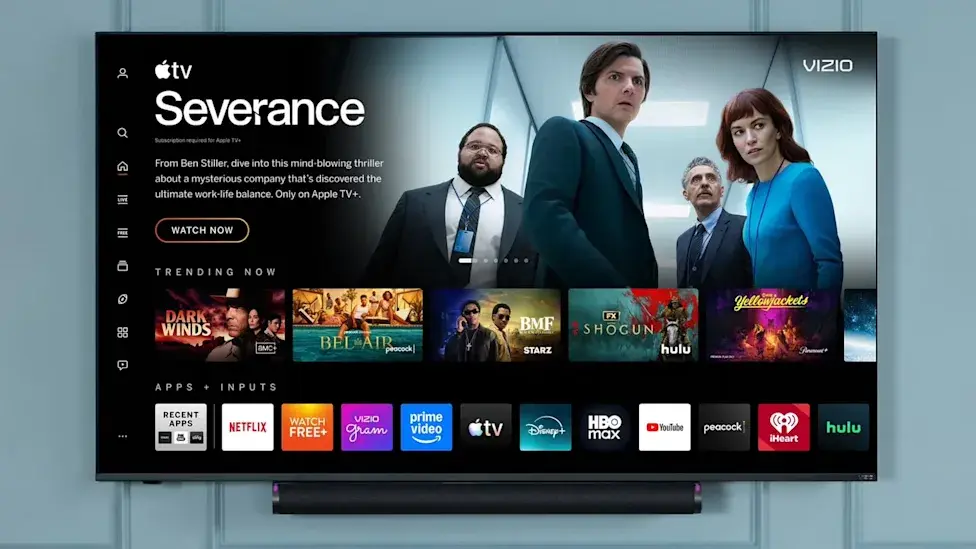
What Changes After Walmart Acquired Vizio?
Walmart's ownership of Vizio creates an opportunity to connect television-related data with information from its retail ecosystem.
Vizio's privacy policy explains that customers can choose whether certain Vizio OS data is combined with their Walmart account data. When the relevant consent is enabled, information may be used to personalize promotions, support advertising, and measure advertising performance.
However, it is important to distinguish between the information required to operate connected TV services and the additional viewing data that users can choose to share. Walmart account integration does not automatically mean every category of viewing information is shared in the same way for every user.
Consumers should review the notices shown during TV setup and check their account preferences to understand which options they have accepted.
Can You Turn Off Vizio TV Tracking?
Yes. Vizio provides settings that allow users to disable certain types of viewing data collection.
On supported Vizio TVs, follow these steps:
- Open All Settings using your TV remote.
- Select Privacy & Legal.
- Choose Viewing Data.
- Turn the feature off.
On some older models, the setting may be located under All Settings > Admin & Privacy > Viewing Data.
Turning off Viewing Data does not affect the TV's performance or online services, according to Vizio. The company also states that disabling this feature triggers the deletion of historical viewing data logs for that device from its database.
Users should also review the Walmart account privacy settings if they have linked their TV to a Walmart account. Vizio provides account-level controls for managing whether eligible Vizio OS data is combined with Walmart account information.
Menu names and available options may vary depending on the TV model, software version, and account configuration.
Does Turning Off Viewing Data Stop All Data Collection?
Not necessarily. Disabling the Viewing Data feature should not be confused with disabling every type of data collection associated with a connected television.
Vizio's privacy documentation describes several categories of information, including activity data, device information, and operational data needed to support its services. Some information may continue to be processed even when users turn off particular privacy features.
For this reason, consumers concerned about privacy should review the complete privacy policy, check account-level consent options, and examine the data settings available on their individual devices.
How to Protect Your Privacy When Using a Smart TV
Smart TV owners can take several practical steps to reduce unnecessary data collection:
- Review privacy options before accepting all setup permissions.
- Disable viewing-data collection if you do not want the TV to collect this information.
- Check whether your television account is linked to a retail or advertising account.
- Review personalized advertising and data-sharing preferences.
- Keep the TV's software updated.
- Consider using an external streaming device if you prefer not to rely on the television's built-in smart platform.
Using an external streaming device does not guarantee complete privacy, since that device may collect its own usage data. It is still important to review the privacy settings of both devices.
Final Thoughts
Walmart-owned Vizio TVs highlight a wider issue facing smart TV users: connected televisions can generate data long after the initial purchase.
Features such as Automated Content Recognition can make recommendations and advertising more relevant, but they also raise questions about transparency and consumer control.
The best approach is to understand what your television collects, review the available privacy controls, and disable any optional data-sharing features you are uncomfortable with.
Leave a comment
Your email address will not be published. Required fields are marked *