


Tired of Blurry Photos? 7 Easy Ways to Take Sharper, Clearer Pictures
Blurry photos can ruin an otherwise perfect moment. Whether you're photographing people, pets, landscapes, food or important documents, even a small amount of camera movement or incorrect focus can make an image look soft and unclear.
The good news is that you don't always need an expensive camera or professional editing software to improve your pictures. A few simple changes to the way you shoot can make a noticeable difference.
Modern smartphones and cameras already include features designed to improve image quality, while AI-powered photo enhancement tools can sometimes help recover details from images that are slightly out of focus.
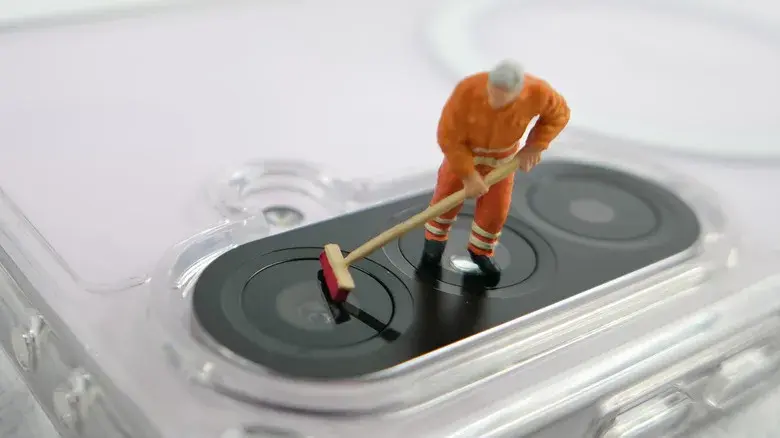
1. Clean Your Camera Lens
One of the easiest things to overlook is the camera lens.
Fingerprints, dust, oil and other small particles can create a hazy appearance and reduce contrast. Before taking an important picture, gently clean the lens with a soft microfiber cloth.
Avoid using rough materials that could scratch the lens.
A clean lens won't fix an incorrectly focused photograph, but it can prevent unnecessary softness and haze.
2. Keep Your Phone or Camera Steady
Camera shake is one of the most common causes of blurry pictures.
Even a small movement while pressing the shutter can make an image appear soft, particularly when you're shooting indoors or in low light.
Try holding your phone with both hands and keeping your elbows close to your body. You can also lean against a stable surface or use a tripod for particularly important shots.
For night photography and long exposures, keeping the camera completely still becomes even more important.

3. Make Sure Your Subject Is in Focus
Sometimes the camera isn't actually producing a low-quality image—the focus is simply on the wrong object.
Before taking the picture, tap the main subject on your smartphone screen. This tells the camera where you want the focus.
This is particularly useful when you're photographing:
- People
- Pets
- Close-up objects
- Products
- Documents
- Food
If your phone supports focus lock, use it when you want the focus to remain fixed.
4. Improve the Lighting
Poor lighting can make blurry photos much more likely.
In dark environments, cameras often need to use slower shutter speeds or increase ISO, which can introduce noise and reduce detail.
Whenever possible, move your subject toward a window or another good light source.
Better lighting can help your camera use faster shutter speeds, making it easier to capture sharper images—especially when your subject is moving.
5. Avoid Digital Zoom When Possible
Digital zoom can make photos look softer because the camera is effectively enlarging a smaller portion of the image.
If your smartphone has a dedicated telephoto camera, use the optical zoom option when available.
Otherwise, consider moving physically closer to your subject instead of relying heavily on digital zoom.
This can preserve more detail and produce a cleaner-looking photograph.
6. Use a Faster Shutter Speed for Moving Subjects
If you're photographing a child, pet, car, athlete or anything else that moves quickly, camera shake isn't necessarily the only problem.
The subject itself may be moving while the camera captures the image.
A faster shutter speed can freeze movement and produce sharper results. Many modern phones automatically adjust these settings, while dedicated cameras give photographers more direct control.
For action photography, combining good lighting with a fast shutter speed can make a major difference.
7. Try AI Photo Enhancement for Existing Blurry Images
If you already have a blurry picture that you want to save, AI-powered enhancement tools may be worth trying.
Modern image enhancement software can analyze an image and attempt to reconstruct or emphasize missing details. These tools can be particularly useful for slightly soft portraits, old photographs and low-resolution images.
However, AI cannot always recreate information that was never captured. A severely out-of-focus photograph may remain difficult to restore, and excessive enhancement can sometimes create artificial-looking details.
For the best results, always start with the highest-quality original image available rather than a heavily compressed copy.
Why Some Photos Are Still Blurry
Not every blurry photograph has the same cause.
Common reasons include:
- Camera shake
- Subject movement
- Incorrect autofocus
- Dirty camera lens
- Poor lighting
- Digital zoom
- Low-resolution images
- Heavy image compression
- Excessive cropping
Identifying the reason for the blur is important because the solution depends on the problem.
For example, cleaning the lens can help with haze, but it won't correct motion blur. Similarly, increasing sharpness in an editing app cannot completely restore details that were never captured.
Final Thoughts
You don't necessarily need a professional camera to take sharp and detailed photographs.
Start with the basics: clean the lens, improve lighting, hold the camera steady, focus carefully and avoid unnecessary digital zoom. When photographing moving subjects, use faster shutter speeds whenever your device allows it.
For photos you've already taken, AI enhancement and traditional editing tools can sometimes improve clarity, although heavily blurred images may have limitations.
With a few simple habits, your smartphone or camera can produce noticeably cleaner and sharper pictures.
Leave a comment
Your email address will not be published. Required fields are marked *